Lead Product & UX/UI Designer · GoStudent
GoStudent Native App Chat
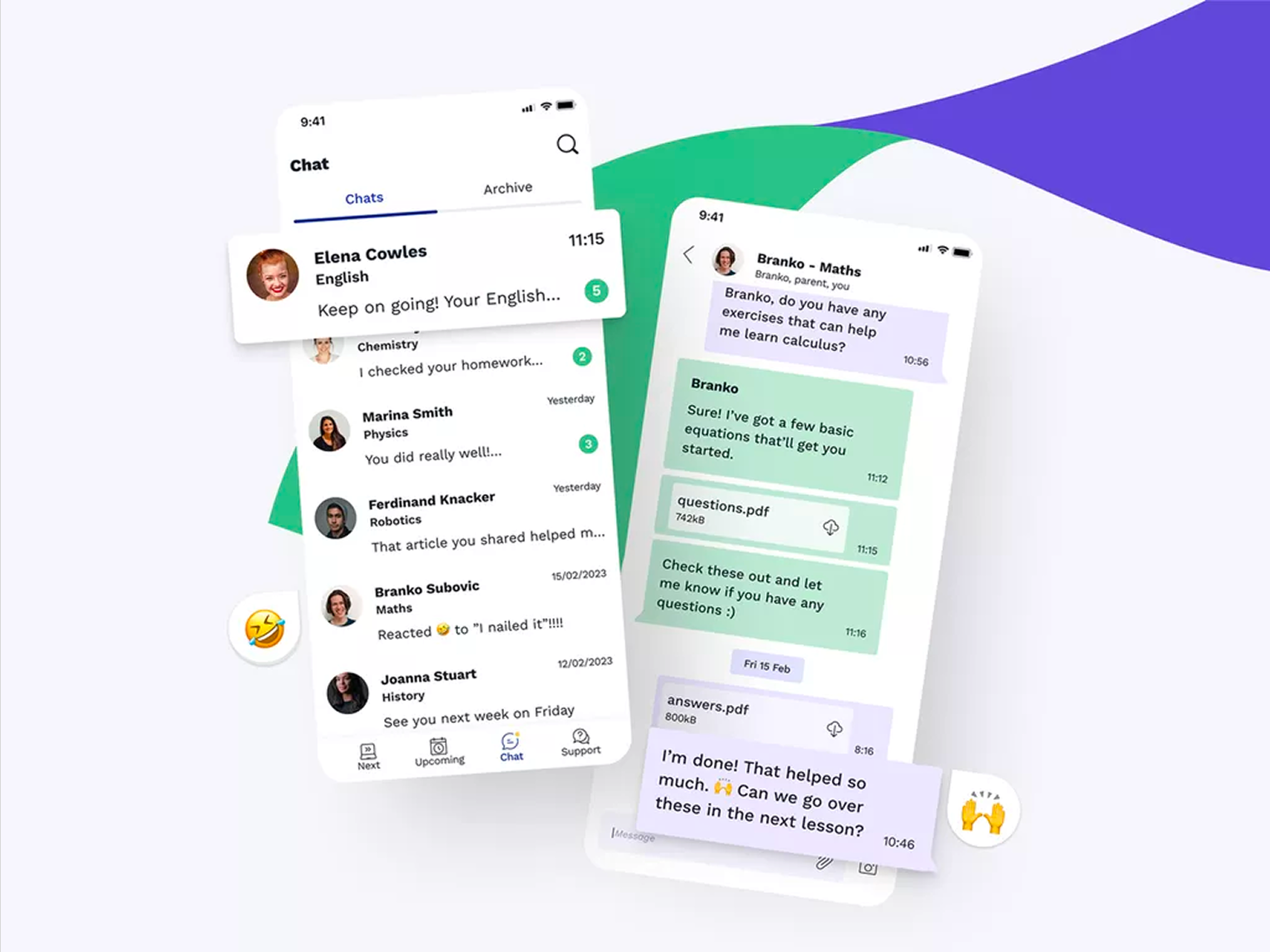
Bringing in-app messaging to GoStudent's native mobile and desktop app. Replacing WhatsApp with a secure, controlled communication channel for students, parents, tutors, and customer care.
What came out of it
100%
In-app communication. Users no longer need external tools for lesson coordination.
Safe
Messaging between tutors and students is now monitored and safeguarded within the platform.
Higher
Native app engagement. Users stay in-app for booking, lessons, and communication.
The challenge
When customers subscribe for tutoring at GoStudent, the customer care team creates a WhatsApp group between the student, parent, tutor, and customer care. This group is used for essential communication: lesson feedback, lesson booking and rebooking, homework, and exchanging study materials.
Reliance on an external messaging tool created significant business and user risk. GoStudent had limited control over communication, safeguarding oversight was weaker than required, and outages in a third-party tool were outside the team's control.
I led the design direction for an in-app messaging experience across mobile and desktop so communication could remain secure, role-aware, and operationally manageable within GoStudent's own platform.
What we set out to achieve
- Keep users in-app without downloading or using an external communication tool
- Safeguard students and screen messaging between tutors and students
- Increase the use of the native app by the customer base
- Provide a seamless experience for lesson coordination, homework sharing, and feedback
- Ensure the business has full control over communication and can respond to any issues
How we approached it
As Lead Product Designer, I owned discovery, technical constraint mapping, stakeholder alignment, and design execution. I led a small design team, mentored a junior UX/UI designer, and worked closely with Product and Engineering to deliver a coherent MVP with clear extension paths.
Communication flows
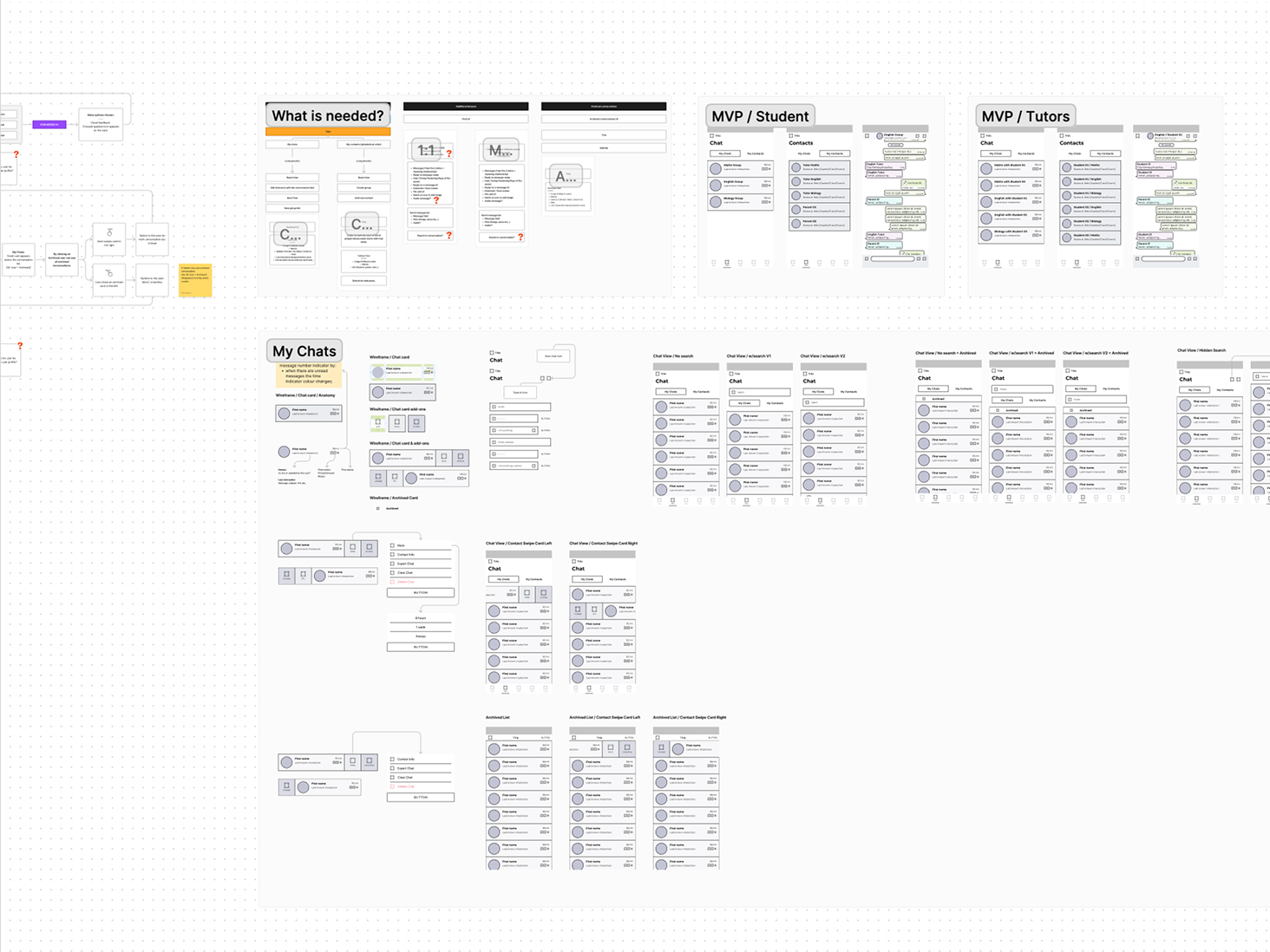
Mapped 1:1 and group chat flows for students, tutors, parents, and customer care. Defined message states, notifications, and attachment handling.
Role-based MVP
Separate MVP scopes for students and tutors. Each had tailored chat and contacts views, with shared core components.
Twilio + Flutter
Researched Twilio Chat API integration within the Flutter app and aligned with engineers on constraints. Design decisions reflected both API capabilities and implementation reality.
My work and involvement
I led the design discovery and definition of the chat feature from concept through to handoff, managing stakeholders and mentoring the junior designer throughout. Here's the workflow I followed:
Stakeholder management
Led alignment across CTO, VP of Product, engineers, and the mobile app product manager. Owned the design narrative and facilitated decisions on vision, scope, and technical constraints.
Technical research
Reviewed Twilio Chat API documentation for Flutter integration and discussed implementation constraints with the app engineers. This alignment defined feasible scope and informed design decisions.
Flow & wireframing
Defined the communication flow and wireframed the UI and components for both student and tutor experiences.
Prioritisation
Drove prioritisation with the native app product manager for MVP delivery, balancing stakeholder expectations with technical feasibility.
Design leadership & mentoring
Led the design execution with a junior UX/UI designer. Briefed the work, provided feedback and direction, and mentored on flows, component states, and handoff practices. Used FigJam for alignment and documentation.
The result
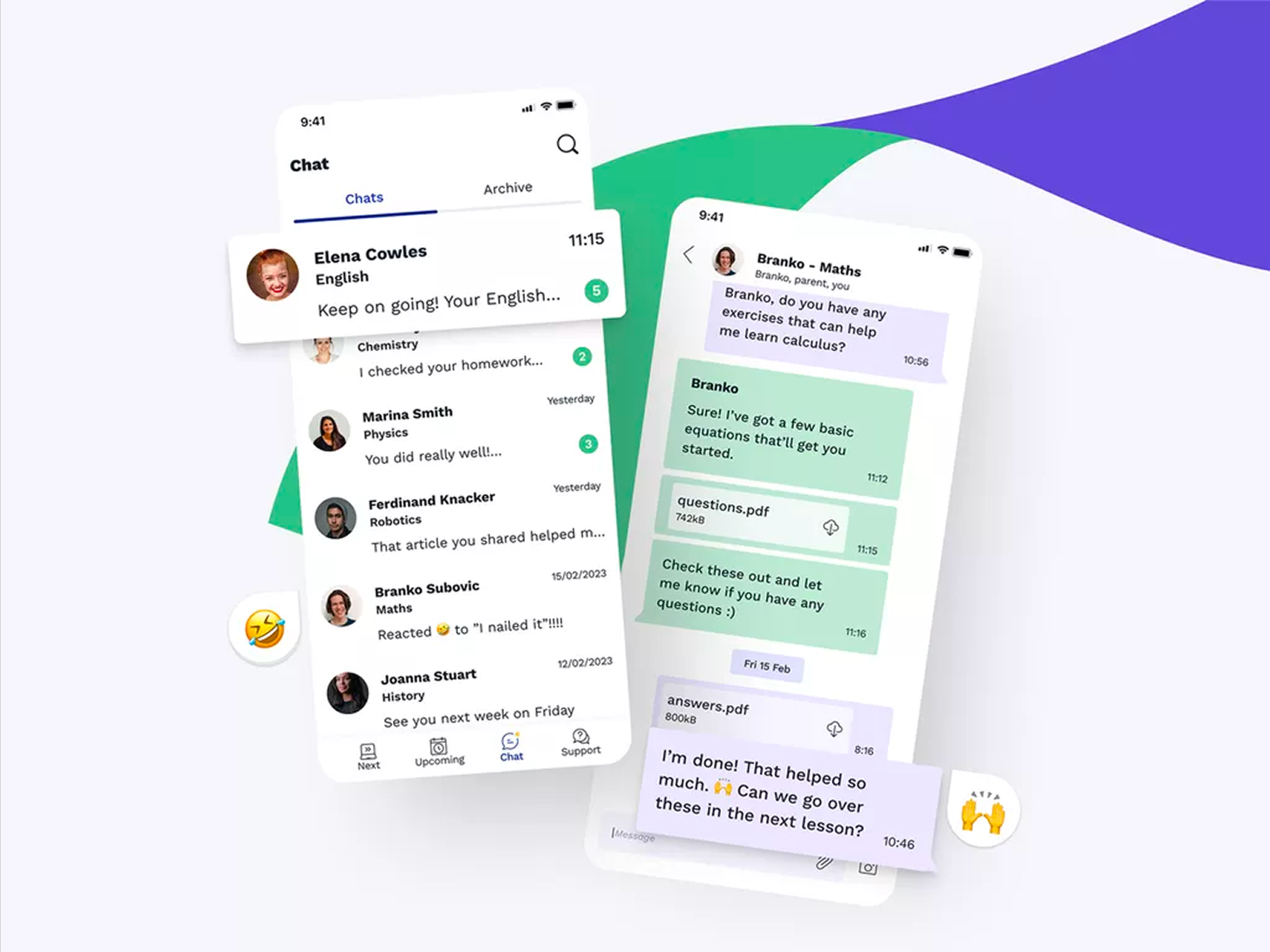
The chat feature was designed to feel familiar yet purpose-built for education. Chat list and conversation views support unread indicators, message reactions, file attachments (e.g. PDFs for homework), and clear role context (e.g. “Branko, parent, you”). The UI integrates with the app's bottom navigation (Next, Upcoming, Chat, Support) so users can move between lessons and communication seamlessly.
Key features delivered
- • Chat list with Chats and Archive tabs
- • Unread message indicators and last message preview
- • Message reactions and file attachments (PDFs)
- • Role-aware headers (tutor, parent, student)
- • Search, swipe actions (archive, delete, pin, mute)
What I led and delivered
- Owned strategy and execution from opportunity definition to hand-off across a high-priority communication product.
- Scoped the MVP against Twilio constraints early, lowering delivery risk and reducing late-stage rework.
- Led alignment across senior stakeholders (CTO, VP Product, Engineering) to secure timely decisions.
- Designed role-specific experiences for parents, students, and tutors rather than forcing a generic model.
- Raised delivery quality through structured collaboration and active mentoring.
Impact
The feature shifted lesson communication into GoStudent's native environment, improving platform control across students, tutors, parents, and customer care. This reduced dependence on external messaging, strengthened safeguarding oversight, and created a clearer foundation for future in-app engagement improvements. As Lead Product Designer, I owned the work end-to-end from problem framing through delivery alignment.