Senior UI Designer · Aegon UK
AXLE Design System
A scalable, accessible design system for one of the UK's leading financial services providers. Built from the ground up after their rebrand.
What came out of it
60%
of the design system components. I contributed across the majority of core patterns.
45%
I owned from start to finish, from tokens right through to the docs.
2
Tokens Studio workshops to support adoption of the new workflow across design and engineering.
The challenge
Aegon had completed a rebrand, but the existing design system could not support consistent delivery across products and co-branded experiences. Teams were duplicating patterns, handoffs were inconsistent, and there was no shared token language for colours, spacing, or typography.
As Senior UI Designer, I led the definition and implementation of AXLE with UX, engineering, and brand stakeholders. The aim was to establish a tokenised system and governance approach that improved consistency, reduced rework, and made iteration safer at scale.
What we set out to achieve
- Consistency across co-branding and products, so design and dev stay aligned
- Faster iteration with reusable components, centralised styles, and clear documentation
- Accessibility by default. WCAG-compliant components out of the box
- Smoother collaboration. Shared tokens, developer-ready specs, aligned workflows
- Efficient scaling. Brand updates without manual component rework
- Coherent experiences. Components validated through UX use cases and AI-driven testing
How we approached it
I structured delivery across three parallel streams: token architecture, component modernisation, and rebrand validation in real product contexts. We validated token decisions in live UI scenarios before broader roll-out, aligned naming conventions with engineering, and introduced governance so the system could evolve without fragmenting.
Design Tokens
Core, semantic, and component-level tokens so design and engineering share one language. Co-branding = swap values, keep names.
Component Redesign
Redesigned form inputs, cards, and more. All token-driven, fully documented, and built for both customers and the internal UX team.
Rebranding
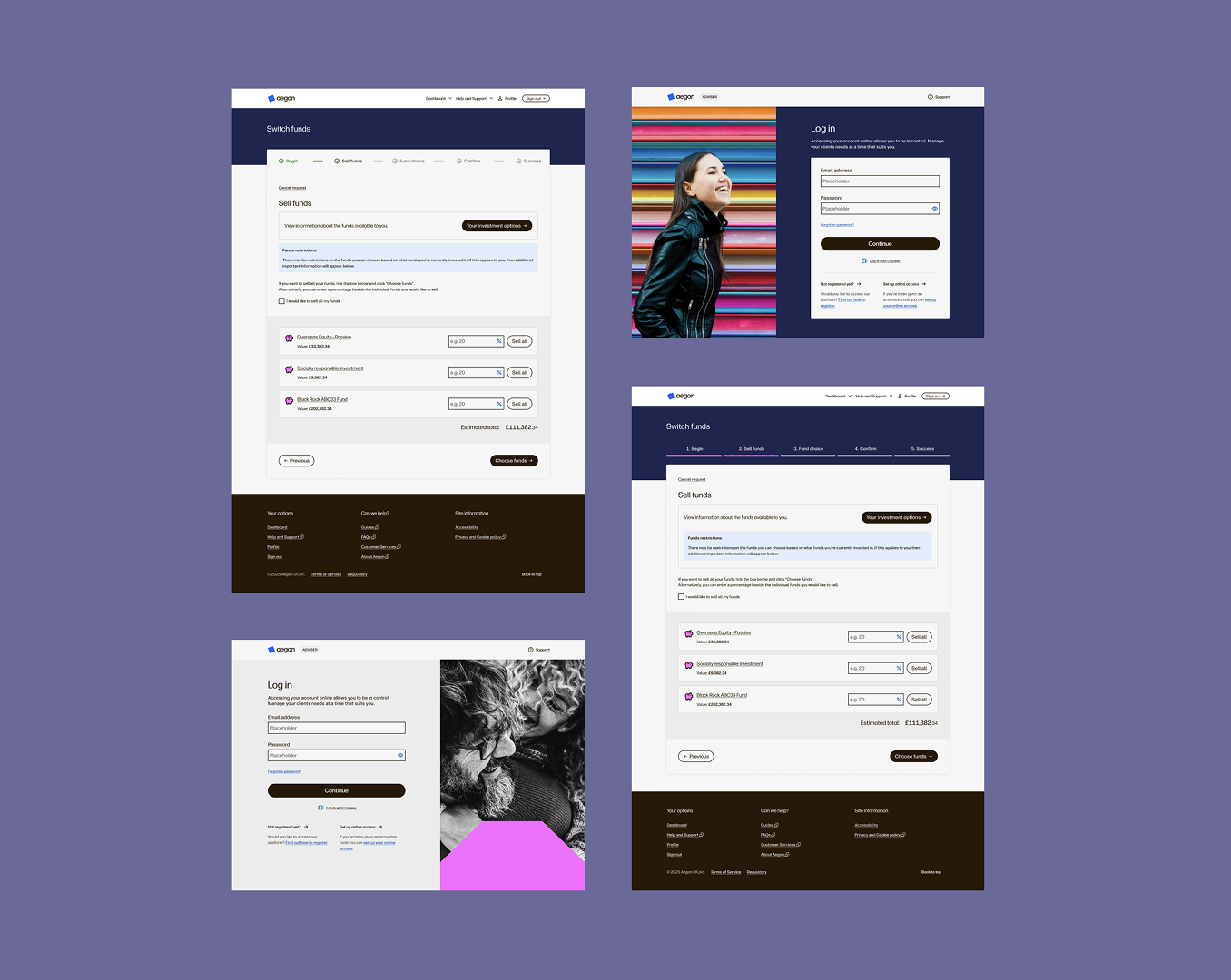
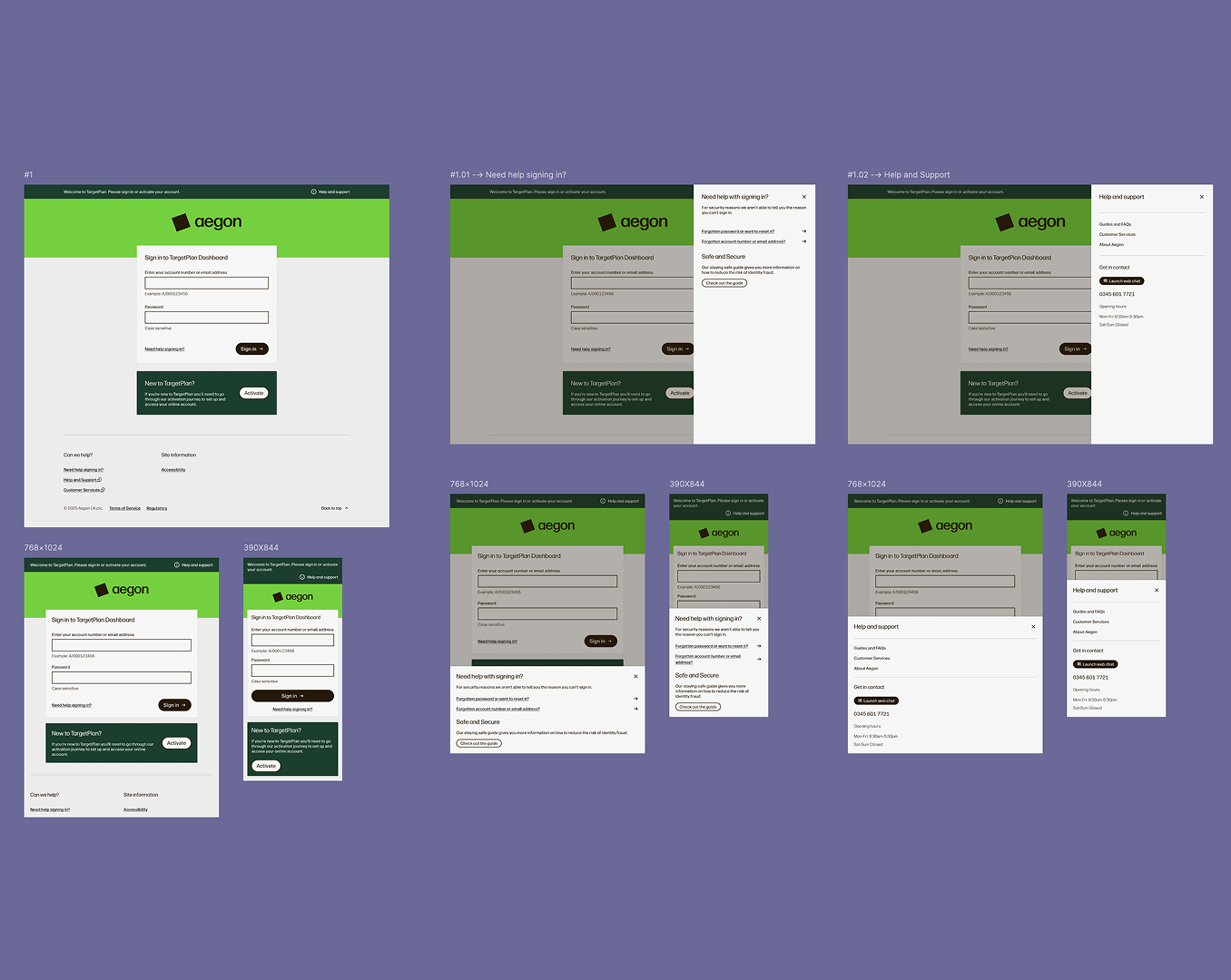
Stress-tested the new palette in real product screens (login, dashboard, icons) to see what worked for task-focused UI.
Token workflow
We needed a structure that worked for both design and engineering. Design needed core, semantic, and component-level sets with clear ownership. Engineering needed stable token names; only the values change for co-branding. Here's the workflow we followed:
Audit + scope
List what needs tokens now vs later (colour, type, spacing, radius, shadow, motion).
Token taxonomy + naming
Define core, semantic, and component tokens. Align naming between dev and design.
Build foundations
Create core tokens first, map semantic tokens, add component tokens for high-use components.
Set up modes/themes
Add light/dark and brand A/B modes. Validate contrast per mode for WCAG.
Code + DS sync
Export tokens to JSON and variables library.
Apply to components
Update components to reference only tokens. Document token usage per component.
Governance & change flow
Request → impact assessment → approve → version + release notes.
Adoption + QA
Pilot in a product, address gaps, rollout, monitor usage and drift.
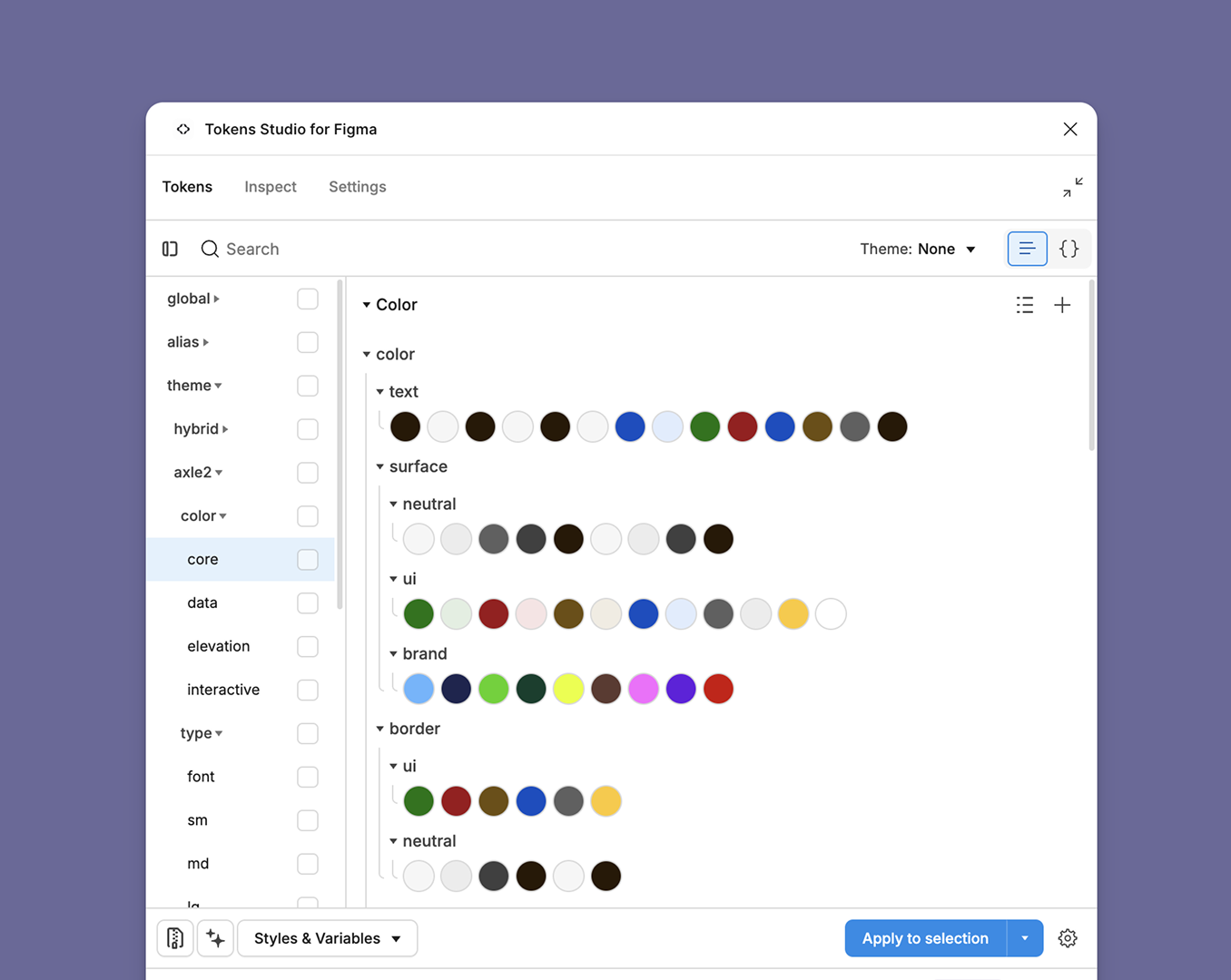
The outcome was a Tokens Studio architecture: named sets for global primitives, semantic aliases, and theme layers (hybrid and axle2). That let us switch co-brands and themes by swapping theme sets while global and alias tokens stayed stable as the shared contract for engineering. We changed core or alias only when we truly needed a new primitive or semantic.
Why this token structure?
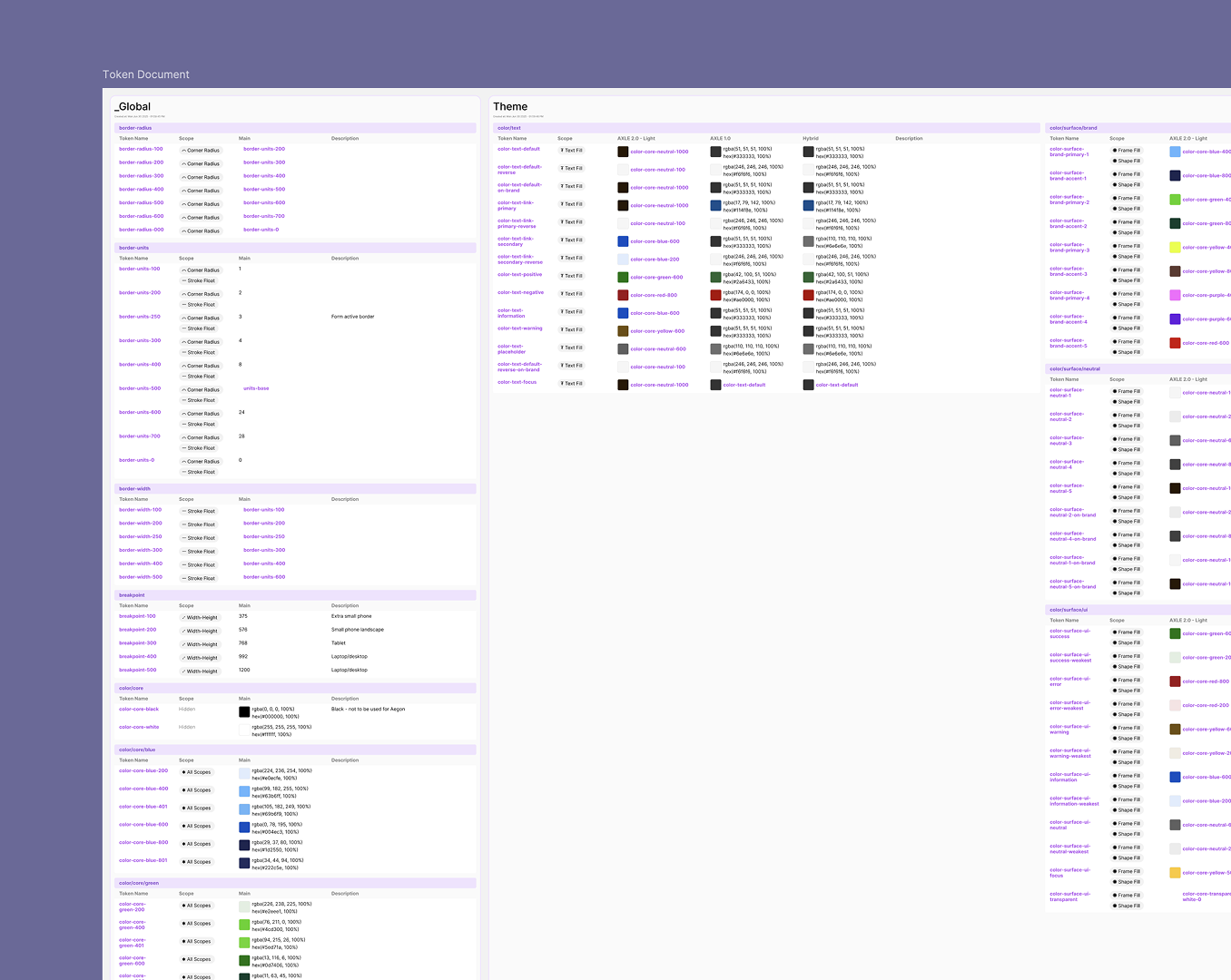
The JSON export from Tokens Studio is organised like an inheritance tree: one shared foundation, then semantic names, then product-specific themes. That mirrors how values flow. Update the spine once and every co-brand that references it stays in sync, unless you deliberately override at the theme layer.
- Single source of truth. Global scales (colour ramps, spacing, type) live in one place so changes are traceable and do not fork across files.
- Same language in design and code. Alias tokens hold stable names engineers bind to, and themes swap values for Hybrid, Axle2, or another co-brand without renaming.
- Theme switching, not rebuilding. Co-brand and mode differences sit in parallel theme stacks on top of the same global and alias map. Extend the base only when you truly need a new primitive.
Layer 1
Global
Raw scales every brand shares: colour, numbers, typography, and the layout grid.
Colour
Units & layout
Typography
Layer 2
Alias
Human-readable names the team agrees on: the contract between Figma and the codebase.
Shape & size
Layout & rhythm
Layer 3
Theme stacks
Each row is a full theme package (colour, type, components) that plugs into the same global and alias spine, so you can stack as many co-brands or modes as you need.
Hybrid
Primary co-brand experience: semantic colour roles, type styles, and component tokens mapped for that product line.
Axle 2
Second brand variant using the same token names; only theme-level values differ.
Additional co-brand or mode
Room for more themes (e.g. partner white-label or future rebrand) without duplicating global or alias sets.
Show how this maps to Tokens Studio setsHide Tokens Studio set names
In Tokens Studio, each chip is a token set (sidebar folder). Plain-language layers sit above; exact paths sit below.
Global sets
Alias sets
Theme sets (pattern repeats per theme)
Component redesign
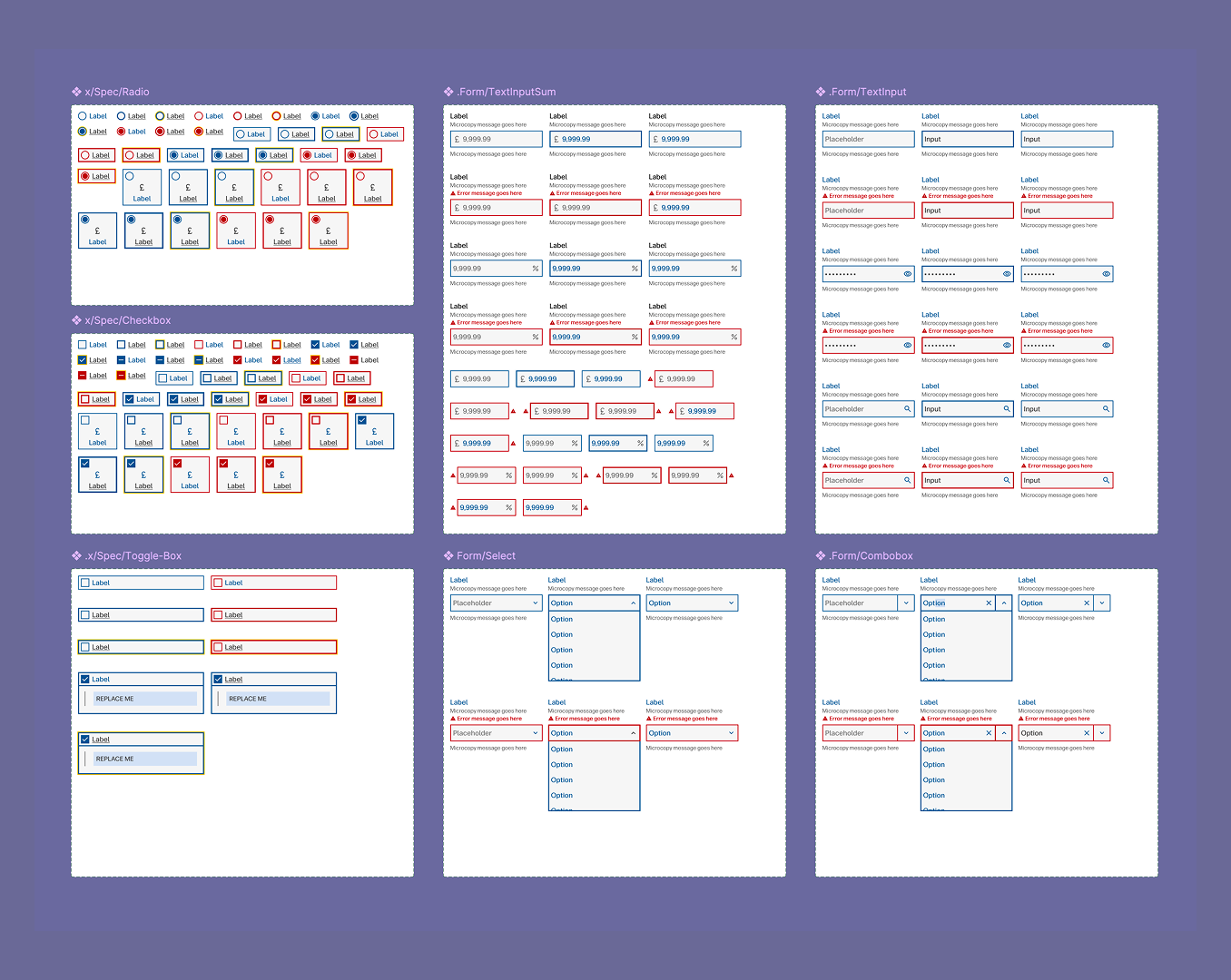
This was the most hands-on part of the work. I redesigned form inputs and cards with full token integration, clear states, and developer-ready specs. Each component doc listed every token it used.
Form inputs
Token-driven, all states documented, specs ready for dev. The variable library and token structure were validated through these components.
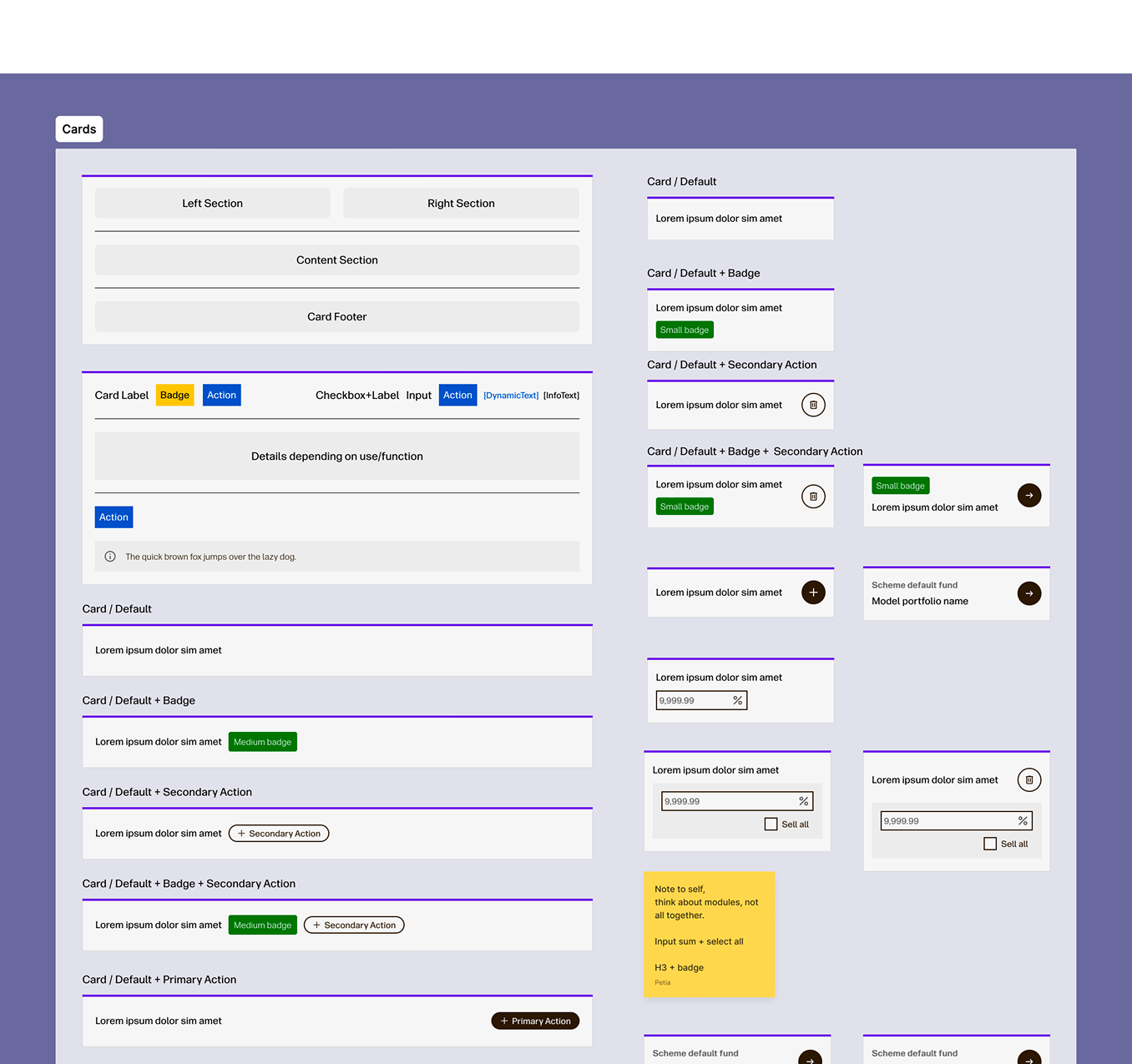
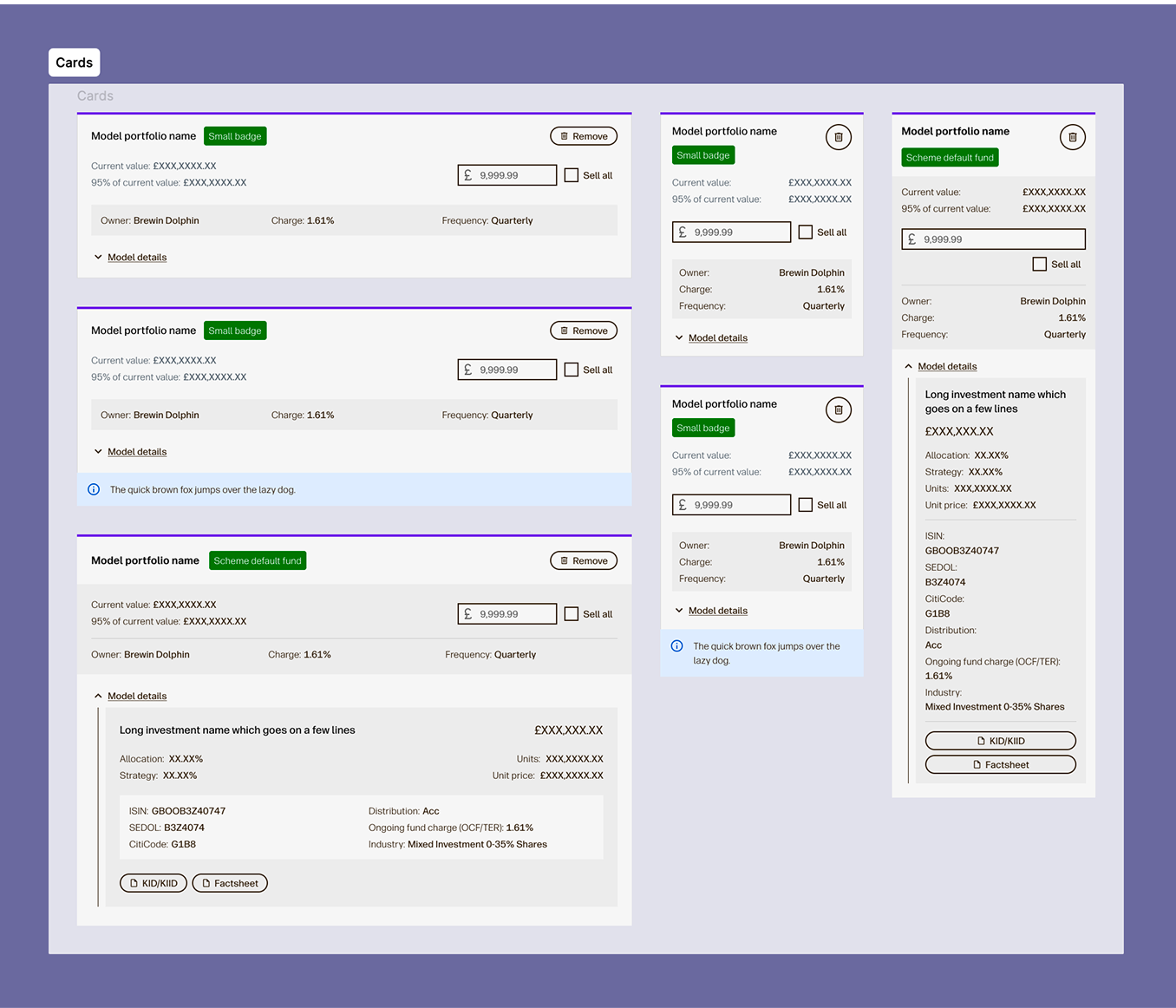
Cards
Aegon's cards are information-dense and used across many journeys. I abstracted them to a simple base structure with sections, then defined nested component groups. Result: cards that work for customers (clear structure, accessibility) and for the UX team (flexible, not over-complicated).
Rebranding explorations
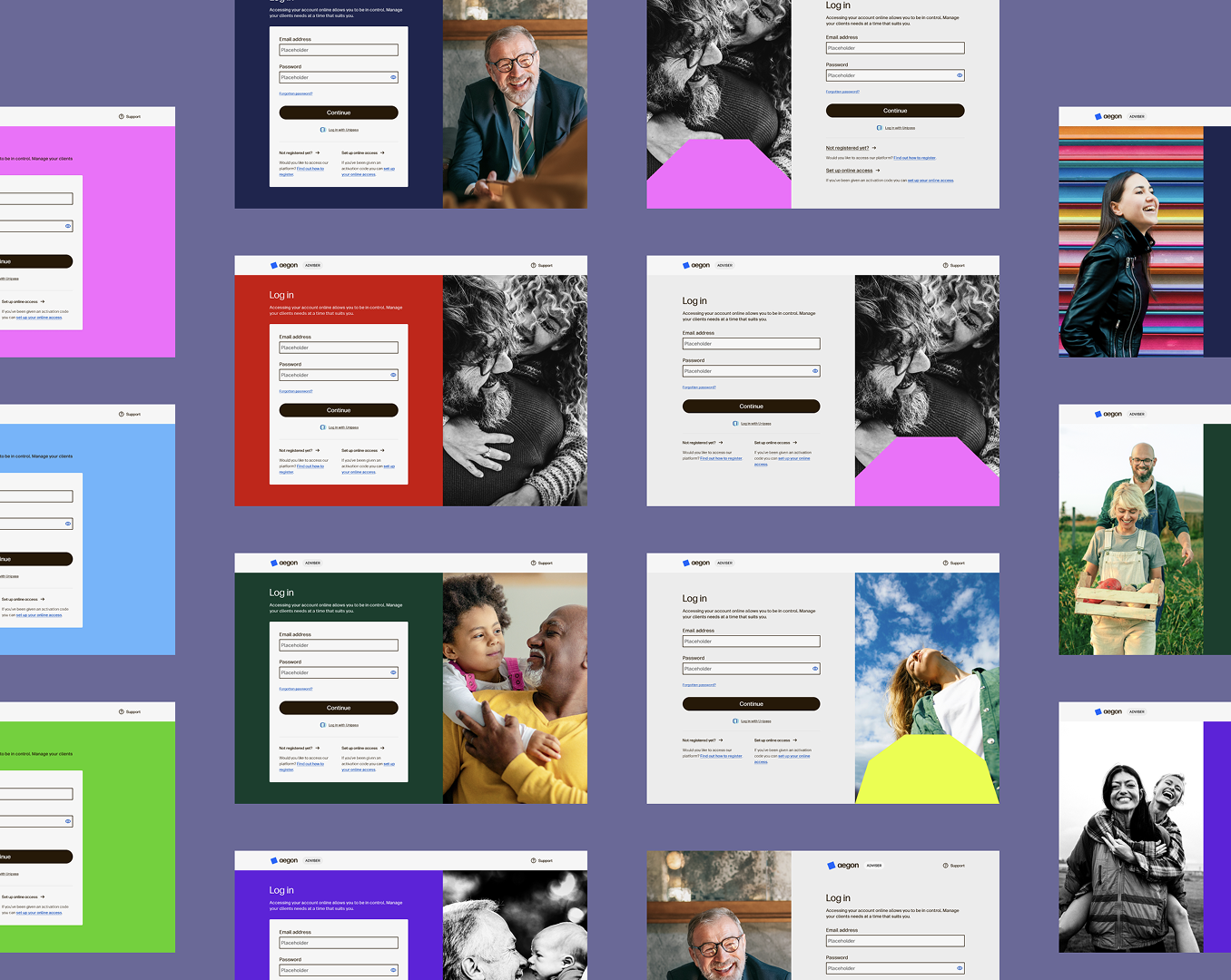
I ran UI explorations on the login page (customer, adviser, employer), dashboard layouts, and duo-colour icons. The aim: see how the new brand palette held up in real product screens.
Key result
The full marketing palette wasn't suitable for the product as-is. We needed to restrict colour usage and define colourways per user role. Bright primary colours work best as accents in task-focused UI. Saturation and contrast were the main constraints.
The duo-colour icon idea wasn't adopted by the brand team, but it helped us understand how to treat functional UI elements differently from marketing assets.
What I led and delivered
- Led system strategy from token definition through implementation alignment with engineering.
- Drove cross-functional decisions on co-branding, accessibility, and component standards.
- Introduced governance and workflow improvements that increased delivery consistency over time.
- Designed reusable components for data-heavy financial contexts while preserving accessibility quality.
- Balanced immediate rebrand needs with long-term scalability of the design system.
Impact & team feedback
By the end of my contract, engineering had adopted the token structure into delivery without implementation friction. I contributed to 60% of the component set (45% as sole contributor) and introduced branching, early AI-assisted testing, and clearer design workflows that improved team confidence and maintainability of the system.
What the team said
“Thank you Petia for a really interesting session on Tokens Studio. You (and Ross) have been instrumental in creating an architecture for our tokens and design systems. Your quick thinking and problem solving along with your investigative work has laid the foundation for a solid token structure that is forever moving and evolving.”
“Thank you Petia for all your patience and guidance on setting up components and variables. I am learning so much from you and my knowledge of Figma increases every day with your help. You are always so thorough in your approach and an inspiration.”
“Thank you Petia for all your support on the work we are doing with tokens. Your problem solving and investigation skills have been fantastic at helping us overcome challenges quickly and efficiently.”