Senior Product & UX/UI Designer · CSGPT.ai
Setting up a voice and chat agent in CSGPT platform
CSGPT had two new ways to set up agents: a chat-style flow for support teams picking chat or voice, and a short path for restaurant owners who are not technical. As sole designer, I kept both quick, easy to follow and calm to use.
What came out of it
Flow 1: Conversational support setup
- In pilots, more people finished setup: about 19 to 27 per cent more than the old long-form path.
- People reached a working agent faster: roughly 32 to 41 per cent quicker on average.
- Simple repeat questions were handled without a person about 14 to 22 per cent more often. Teams said it was easier to pass tricky cases to a human when needed.
Flow 2: Restaurant quick setup
- Owners got from start to first real phone call about 35 to 48 per cent faster.
- More owners who are not technical finished setup: about 23 to 31 per cent more.
- Fewer people needed help to get through setup: about 18 to 29 per cent fewer support-style requests in the pilot. Owners also felt readier to switch the assistant on.
These numbers come from early pilots and first releases. They show direction of travel, not a final score for the whole product.
The challenge
In CSGPT, we needed clearer ways for users to create agents without technical setup friction. We focused on two experimental product flows: one conversational path where users set up an agent through chat and choose voice or chat mode, and one quick setup path for a restaurant voice agent.
I joined as the sole designer in a small cross-functional team with front-end and back-end developers and a PM. My work centred on making both flows understandable at first glance, reducing decision fatigue, and helping users move from intent to a working agent quickly.
The goal was not to ship one fixed journey, but to test and refine onboarding patterns that could scale across future setup experiences in the platform.
What we set out to achieve
- Validate two experimental setup flows in the CSGPT product
- Create a conversational setup where users can choose chat or voice in a guided flow
- Create a quick setup flow tailored for restaurant voice agents
- Keep setup no-code and approachable for non-technical users
- Build reusable onboarding patterns that can evolve with future experiments
Research
I worked closely with the PM while we learned from real usage and conversations, so we focused on what actually blocked people in each flow.
Flow 1: Conversational support setup (chat and voice)
We looked at how people moved through setup, read tickets about where they got stuck, talked to support and success teams, and ran usability tests with admins who are not developers.
- People often knew the job the agent should do, but picked chat or voice before that was clear.
- They were choosing the channel too early, before we had spelled out when a human should step in.
- The words in setup felt too technical for ops-led teams.
So we used a guided chat-style flow: understand the job first, then choose chat or voice, and show early how handover to a person works, instead of long forms up front.
Flow 2: Restaurant owner quick setup (non-technical, voice-first)
The PM and I focused on owners who need to go live without IT help: we spoke to operators, watched pilot sign-ups, read notes from people who onboard customers, and tried different wording on defaults and the final steps.
- Owners wanted something that felt "mostly done for me" rather than a blank builder.
- Technical labels made them unsure and slowed them down.
- Their worry was whether calls and bookings would work on day one, not how many features they could add.
So we used a restaurant template, simple words, sensible defaults, fewer optional choices during setup, and a clear finish screen so they knew they were ready to try it.
How we approached it
I treated the project as an onboarding storytelling problem: different users wanted different levels of speed and guidance. The solution was two experimental paths in one platform experience, each with a different interaction style but shared UI language and confidence cues.
Conversational setup
Guided, chat-like onboarding that helps users define their agent and explicitly choose whether they want a chat or voice experience.
Quick restaurant setup
A focused path for restaurant teams to get a voice assistant live faster with preset structure, key integrations, and phone setup.
Experimental product thinking
Both flows were intentionally tested as experiments to learn where users need guidance versus speed, and what should become platform defaults.
Flow 1: Conversational setup (chat or voice)
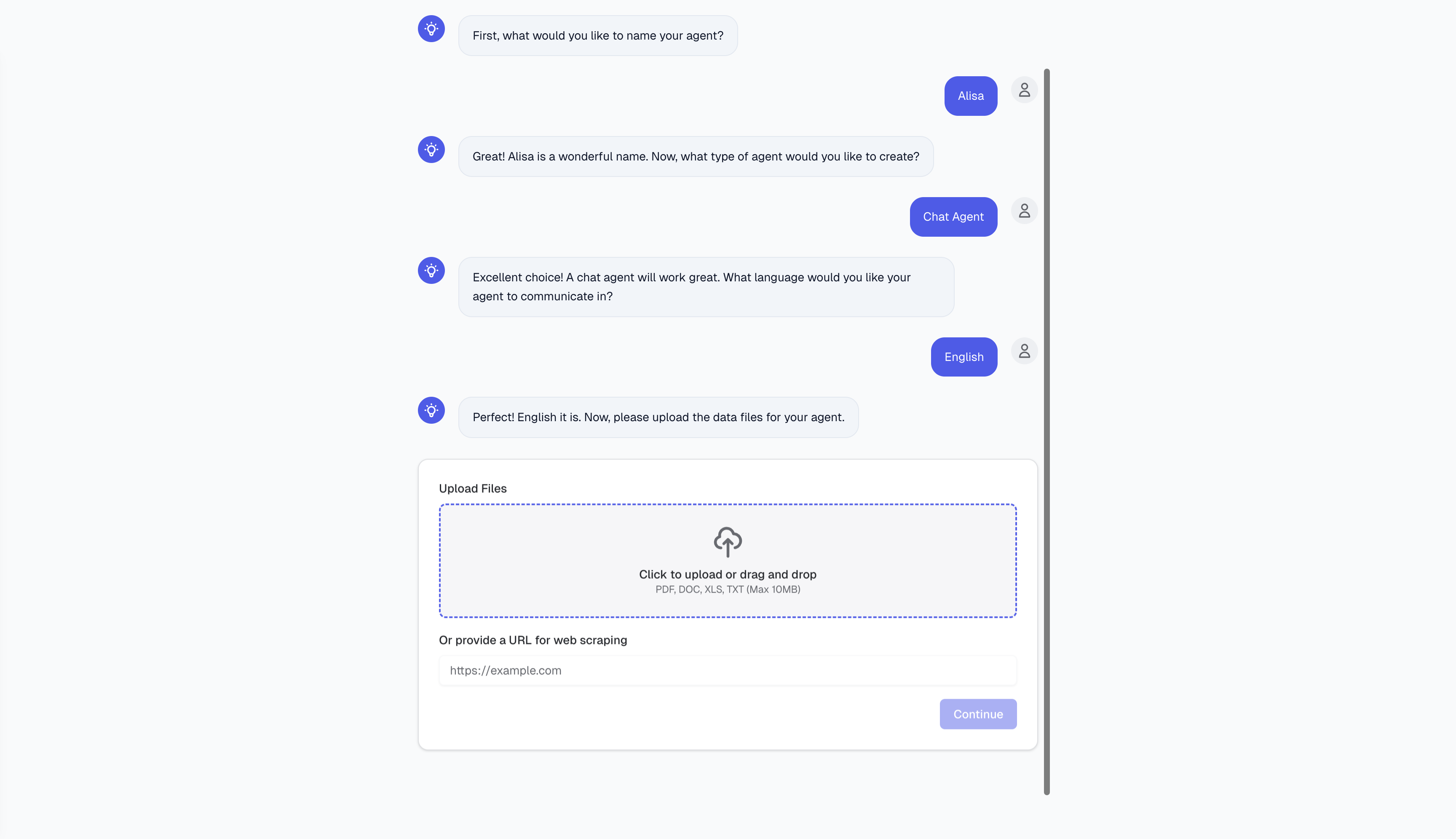
This flow targets customer support-style use cases. It guides users through setup in a natural conversation: they describe what they want to build, then choose whether the agent runs in chat or voice. The pattern reduces complexity by asking for one decision at a time.
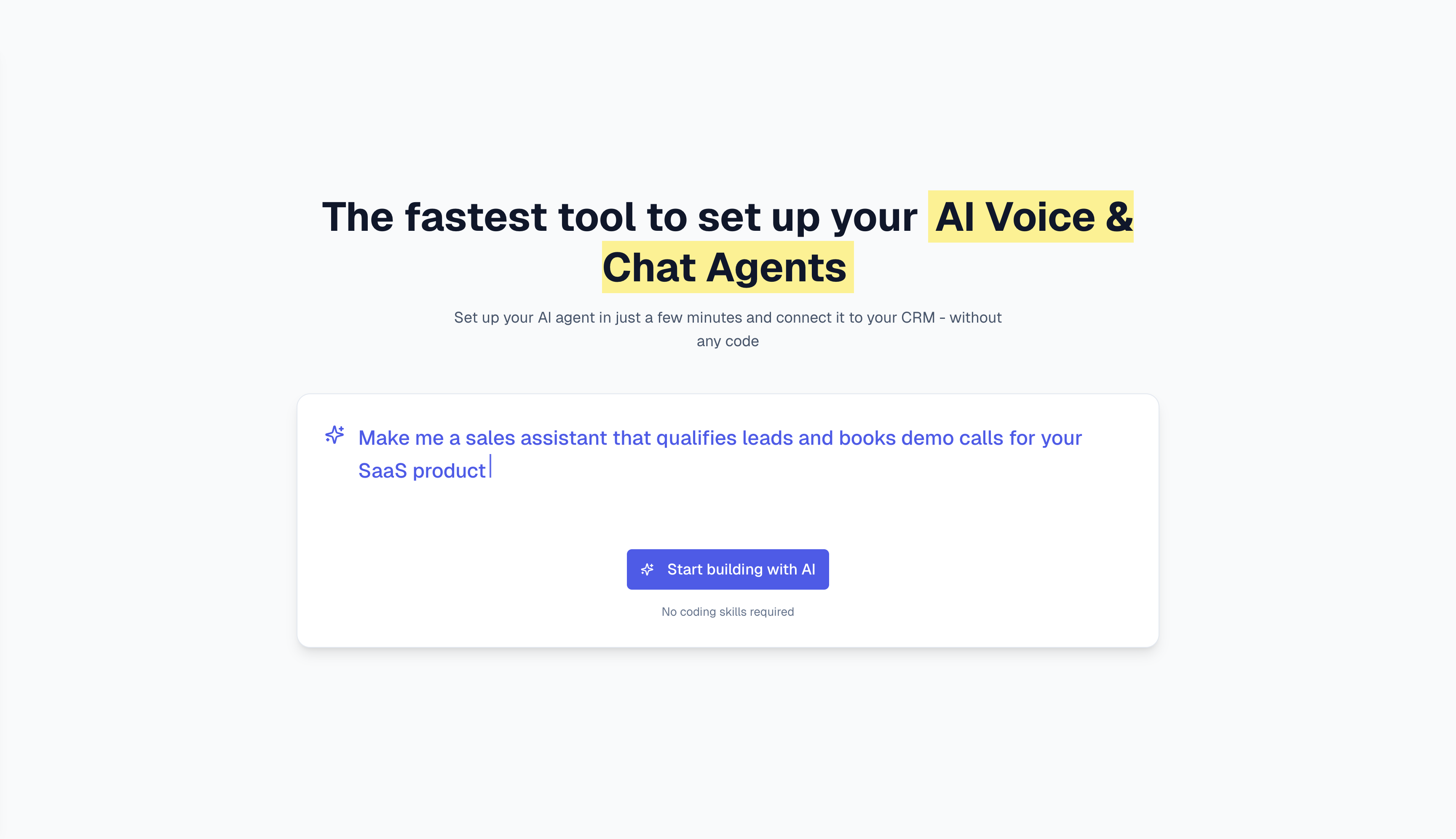
Prompt-based entry
Users start by describing the agent they need in plain language. This lowers the barrier for non-technical users and turns setup into a guided conversation rather than a form-heavy process.
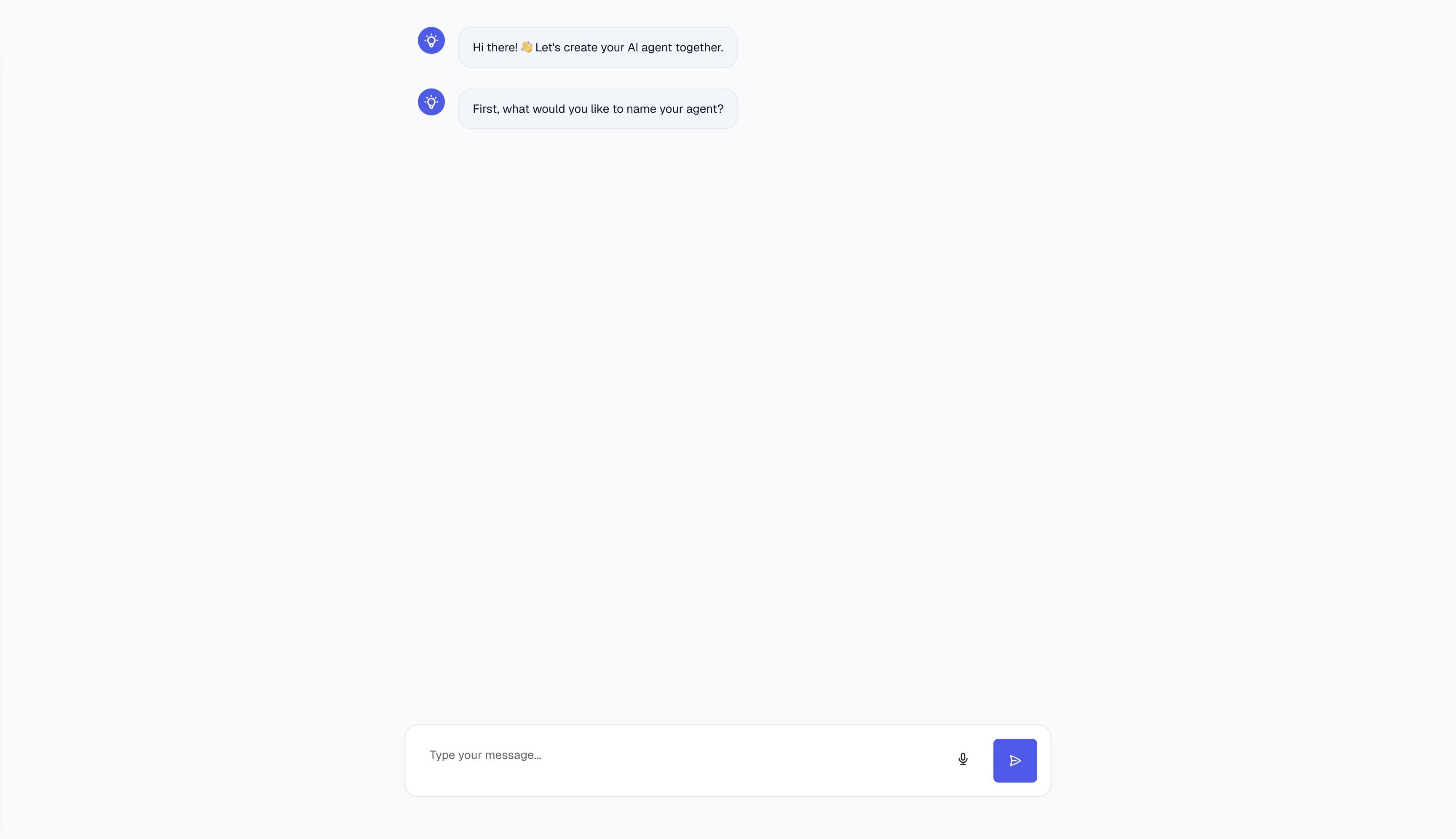
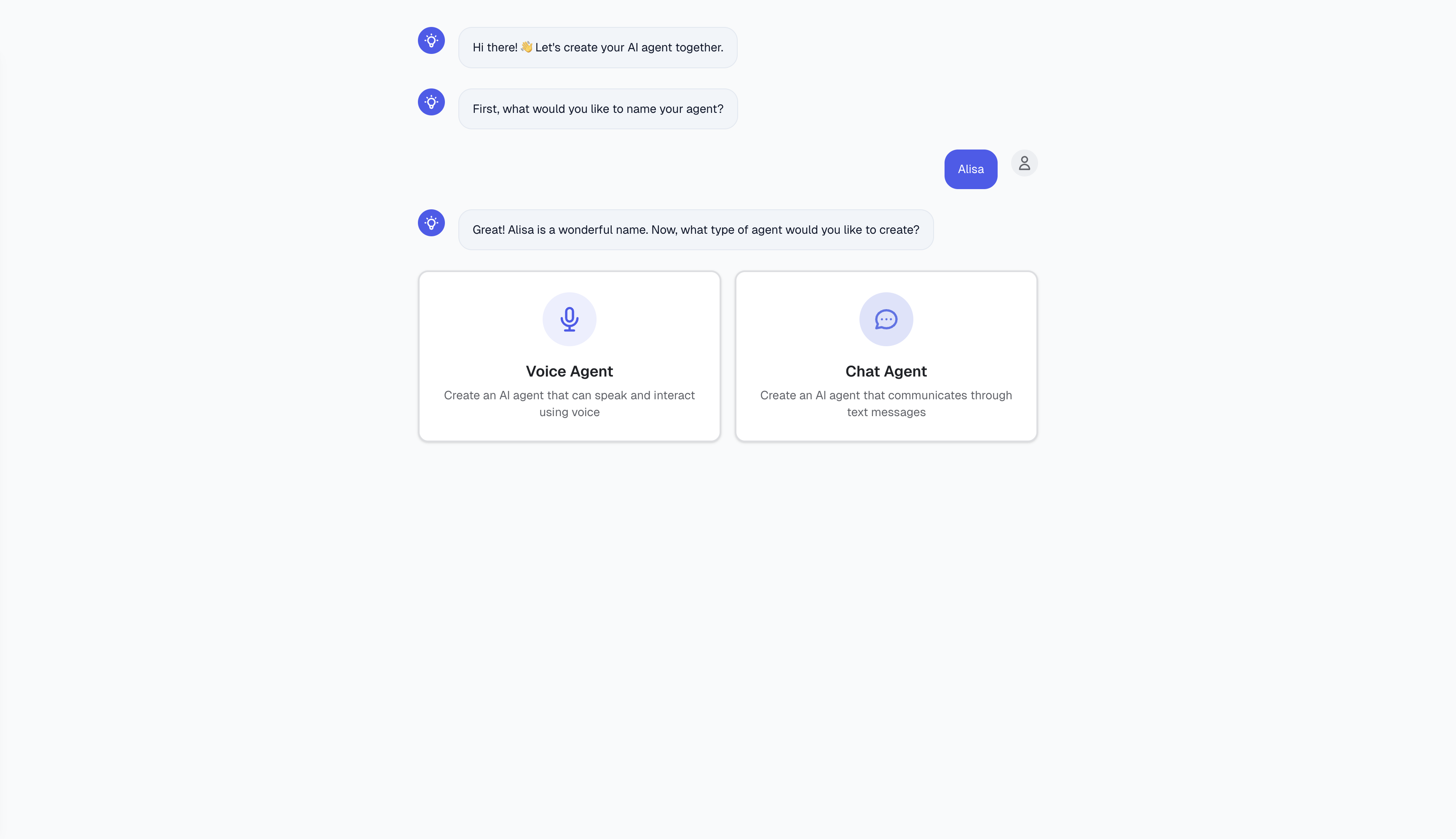
Guided conversational steps
The assistant asks for core inputs step by step, including the agent purpose and preferred interaction mode. A familiar chat format keeps the process approachable and easier to complete.
Data onboarding (chat use cases)
When users choose chat, the flow supports file uploads and URL scraping to quickly provide source knowledge for the agent. Clear constraints and drag-and-drop interaction keep this step lightweight.
Flow 2: Quick setup for a restaurant agent
This flow is optimised for speed for non-technical owners. Instead of fully open-ended setup, users follow a predefined restaurant path with clear defaults for reservations and voice operations.
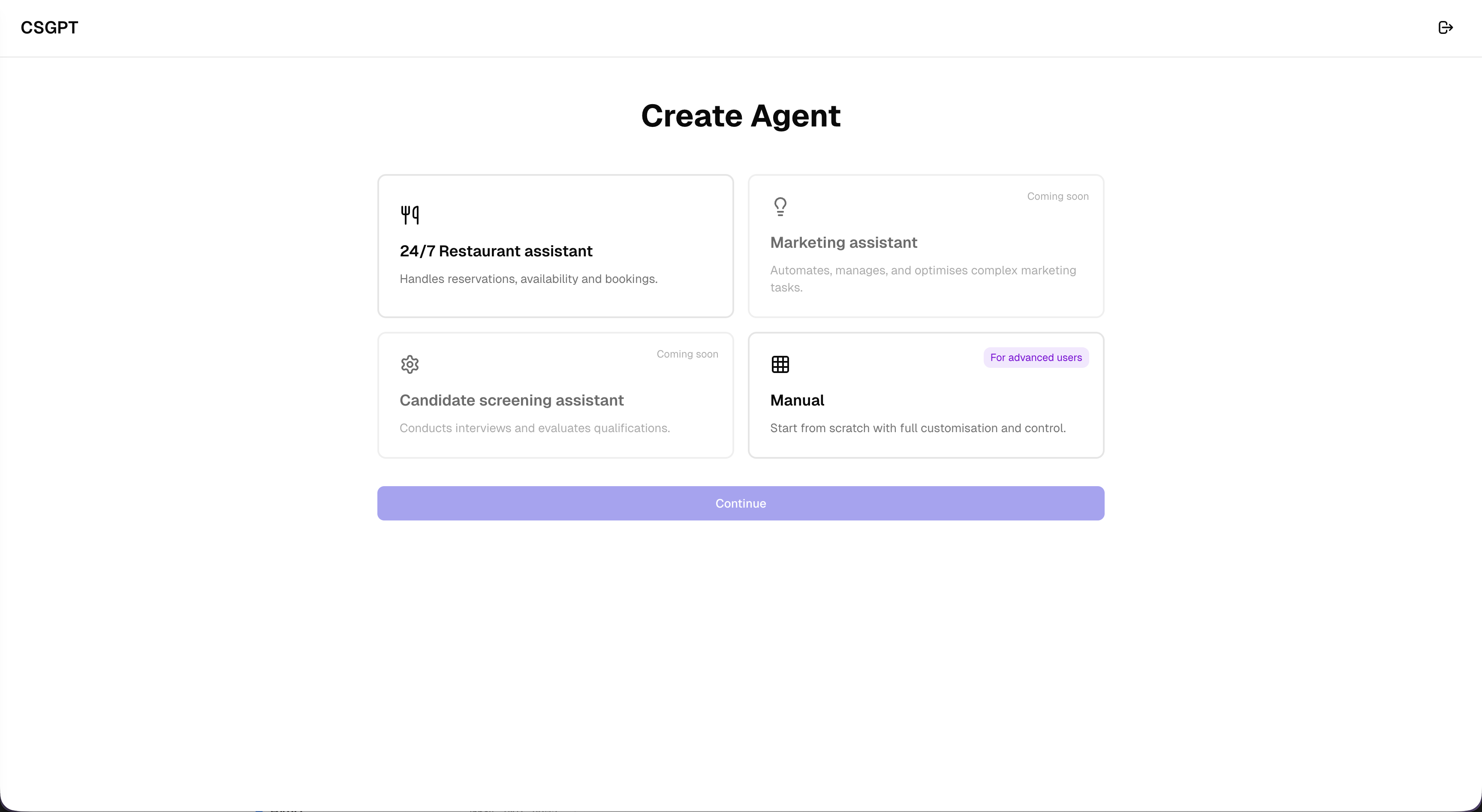
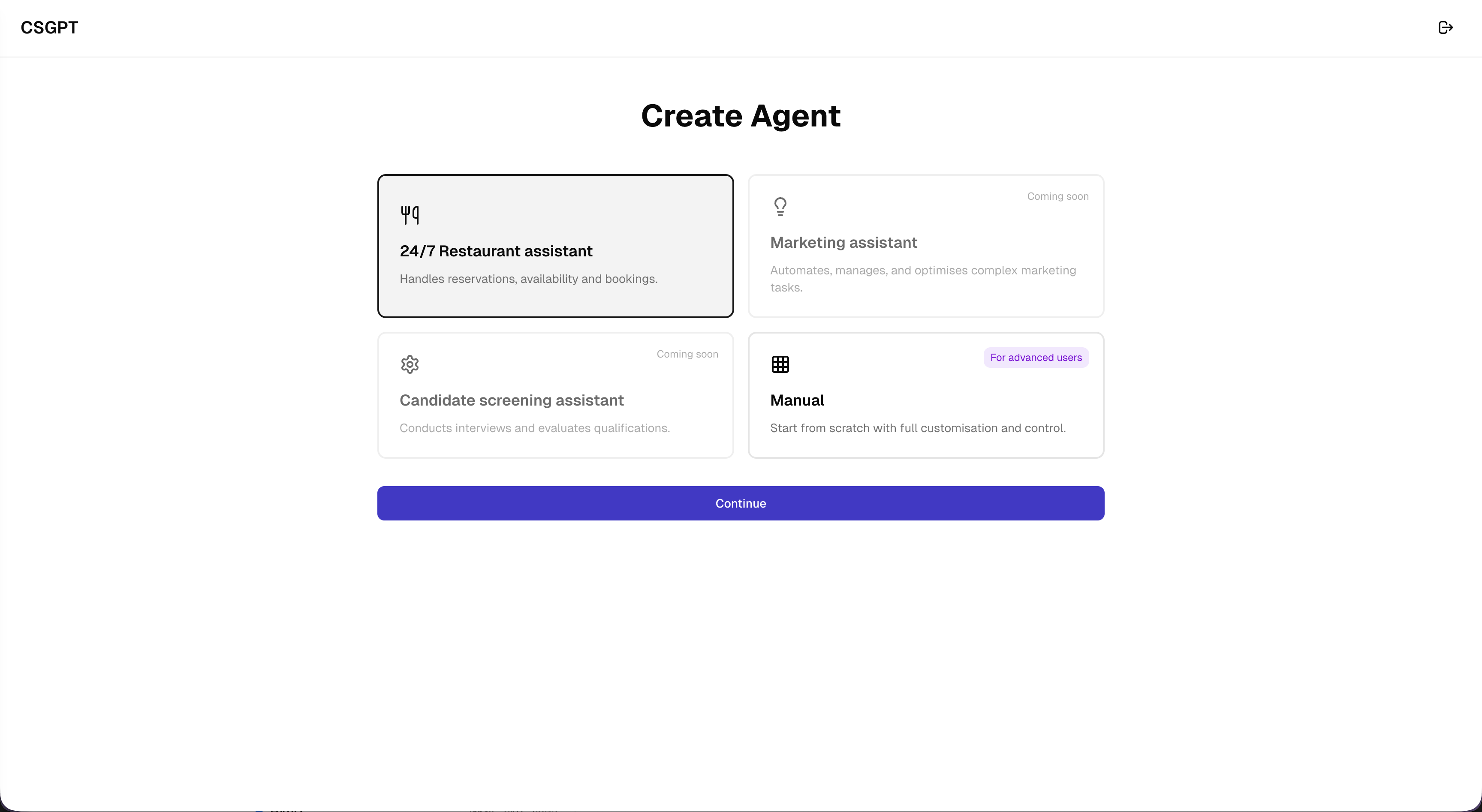
Agent type selection
Users can start from a pre-configured restaurant assistant template. The card-based selection makes this flow easy to discover and fast to begin.
Restaurant details and integrations
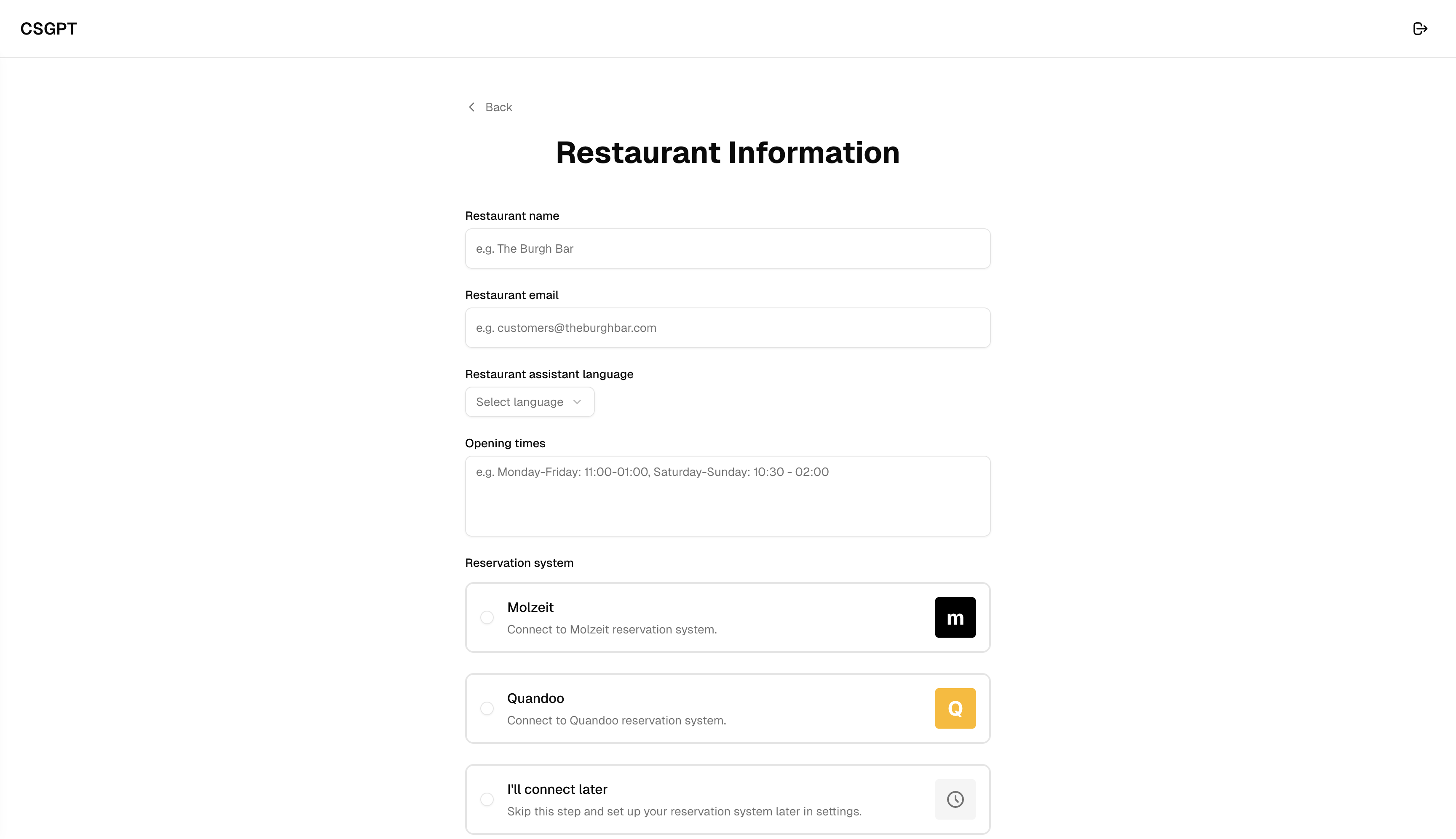
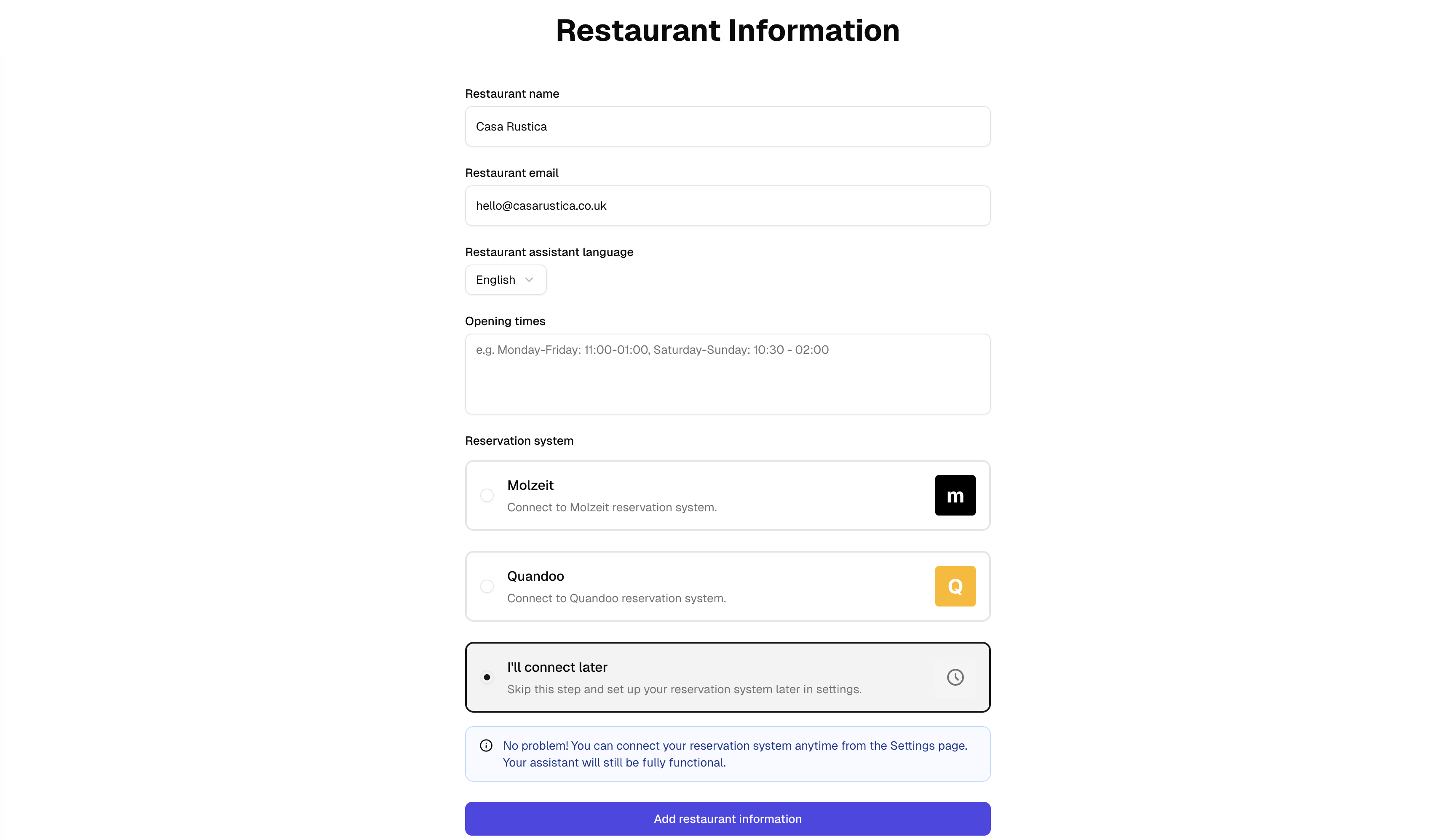
The setup captures business details, language, opening times, and reservation integrations such as Molzeit or Quandoo. Users can also defer integration and continue setup.
Phone number and completion
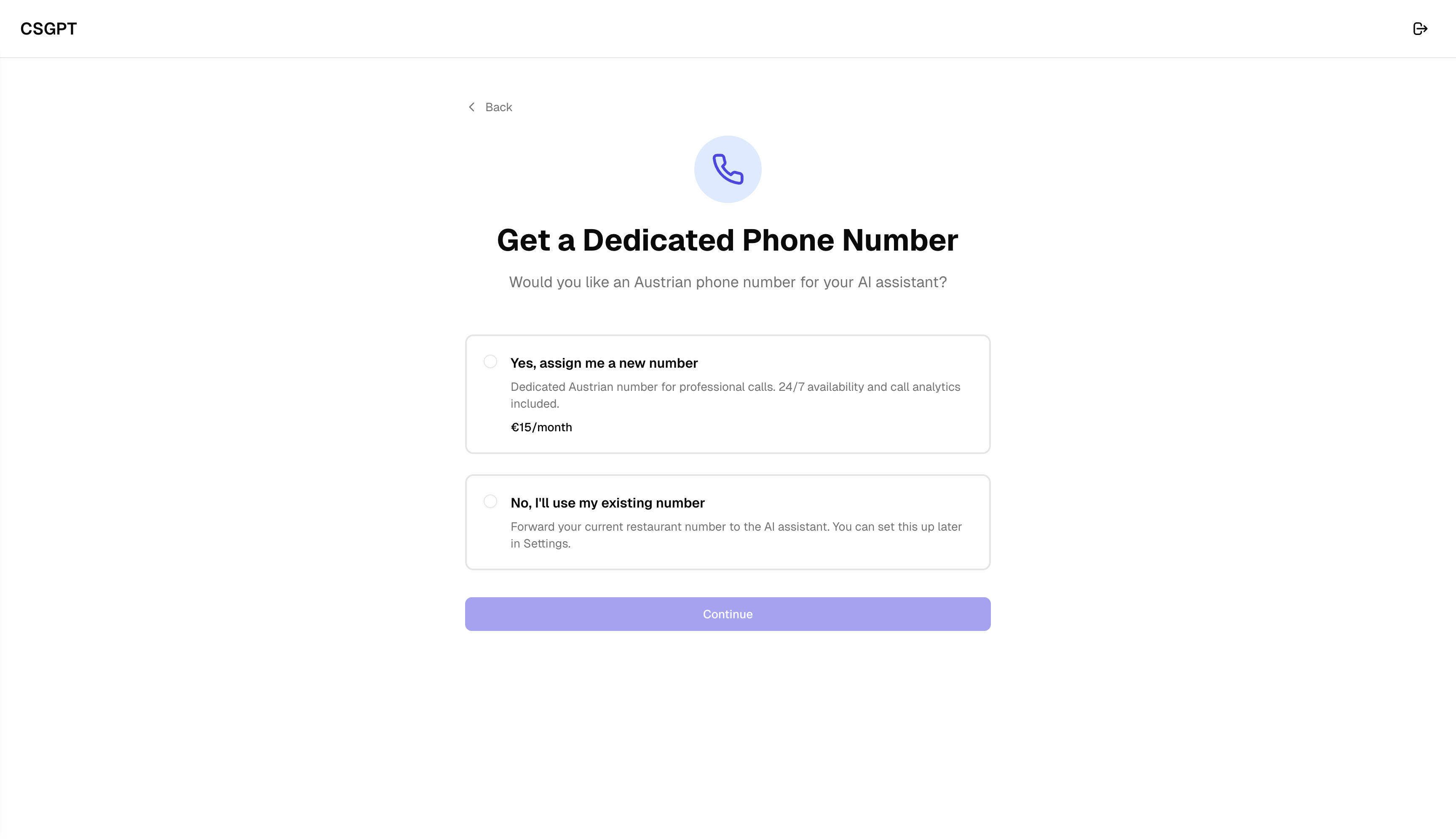
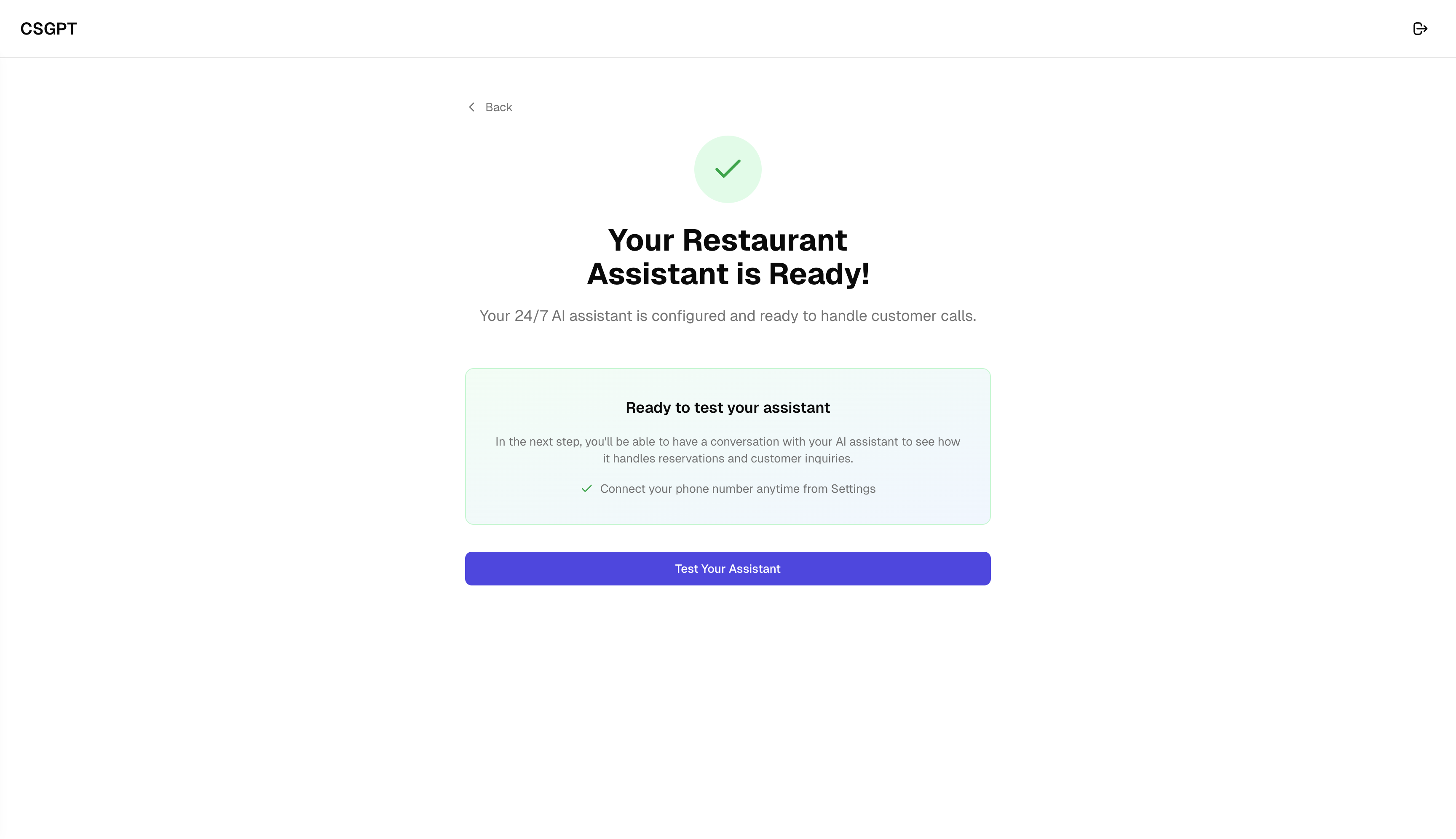
Users pick a dedicated number or connect an existing one, then complete setup with a clear success state and a direct next action to test the assistant.
Key outcomes
We shipped both as trials with different aims. Support teams needed to state the job first and trust that a person could take over. Restaurant owners needed speed, everyday words and reassurance before they turned the assistant on. The same visual building blocks worked for both, but the stories stayed separate.
Flow 1: Conversational support setup
- What we saw: In pilots, more people finished, they reached a working agent sooner, and simple repeat questions were handled without a person more often. Teams also said it felt clearer when to pass someone to a human.
- What design changed: We asked about the job before chat versus voice, revealed only what was needed at each step, and explained handover to a person early instead of burying people in settings first.
Flow 2: Restaurant quick setup
- What we saw: Owners reached their first real calls faster, more of them finished setup, fewer needed help from us, and they said they felt readier to go live.
- What design changed: Steps followed a restaurant template, labels used normal shop language, and the end of setup showed a clear success state and a simple way to try the assistant.
Next steps
Flow 1: Customer support setup
- 1.Clearer questions when goals overlap: When two kinds of support sound similar, ask a short follow-up so people pick the right path. We would measure fewer people going back a step or quitting halfway.
- 2.Easier rules for when a human steps in: Let teams say, by topic, when the bot should stop and hand over. We would measure fewer bad bot replies and more trust in the assistant.
- 3.Help choosing chat or voice: Use plain hints about call volume, how complex questions are and how fast answers need to be. We would measure fewer people changing channel after go live.
- 4.Reports that go beyond "finished setup": Show whether issues were actually solved and whether handover felt clear. We would measure whether choices during setup match how well the live assistant performs.
Flow 2: Restaurant owner quick setup
- 1.Another pass in everyday language: Remove words that only make sense to people who run systems, and check the copy with real owners. We would measure more people getting past the steps that used to confuse them.
- 2.A short "ready to switch on" checklist: Opening hours, booking rules and what happens if the bot is unsure, all in one place before go live. We would measure fewer problems in the first week after launch.
- 3.Simpler view for owners, fuller view for staff: Keep the owner path light; put extra controls where managers or ops already work. We would measure owners feeling less overwhelmed while power users still have what they need.
- 4.More ready-made paths like the restaurant one: Reuse the same quick shape for nearby types of venue. We would measure faster onboarding with less one-to-one training.
What I led and delivered
- Led the end-to-end design of two experimental setup flows in CSGPT: conversational setup and quick restaurant setup.
- Shaped an onboarding model where users can choose chat or voice through guided conversation, not technical forms.
- Designed a fast restaurant-specific path with practical defaults for integrations and phone readiness.
- Kept both flows consistent through shared UI patterns while preserving their different speed and guidance models.
- Partnered with the PM on research and prioritisation, and with engineering to iterate experiments and turn learnings into reusable platform patterns.